
Browser proxy manager
 BP Proxy Switcher
BP Proxy Switcher Extension for Chrome, Firefox and Edge
BP Proxy Switcher is a browser extension for Chrome, Firefox and Edge that manages HTTP, HTTPS and SOCKS5 proxies from the toolbar. Choose your browser from the official installation links below, then import a proxy list and verify one endpoint before enabling rotation. Import proxy lists, store supported authentication details, test connection quality, switch deliberately, and configure bypass and privacy controls.
Before an important login: verify the selected exit IP, expected country and browser profile. A working proxy does not guarantee compatibility with every website.
Last reviewed: July 2026


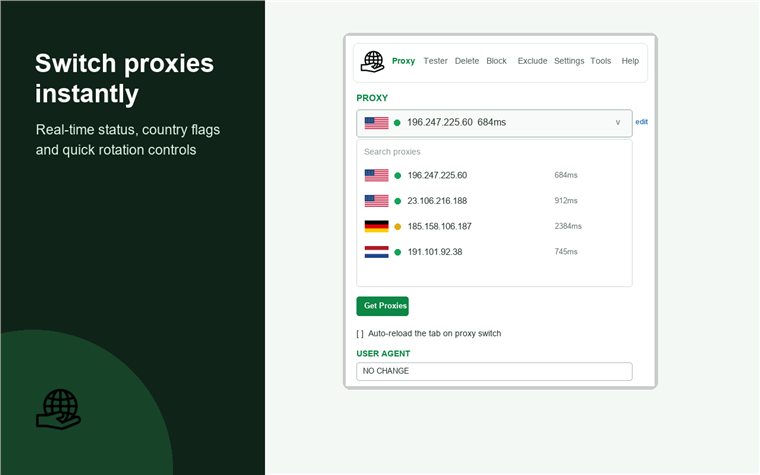
Add HTTP, HTTPS and SOCKS5 proxies
Import or enter proxies in a supported format, then review host, port, protocol and label before saving. Keep credentials private and confirm whether the provider uses username-password or source-IP authentication.
Get proxies for BP Proxy Switcher
Choose a monthly proxy list to import, test and switch in the extension.
Dedicated: IPs assigned only to you, for exclusive use.
Semi-Dedicated: IPs shared with a limited number of customers, at a lower cost per proxy.
Use authenticated proxies safely
Store only the credentials needed for the selected proxy. Remove outdated entries and avoid copying real proxy passwords into tickets, screenshots or shared documents.
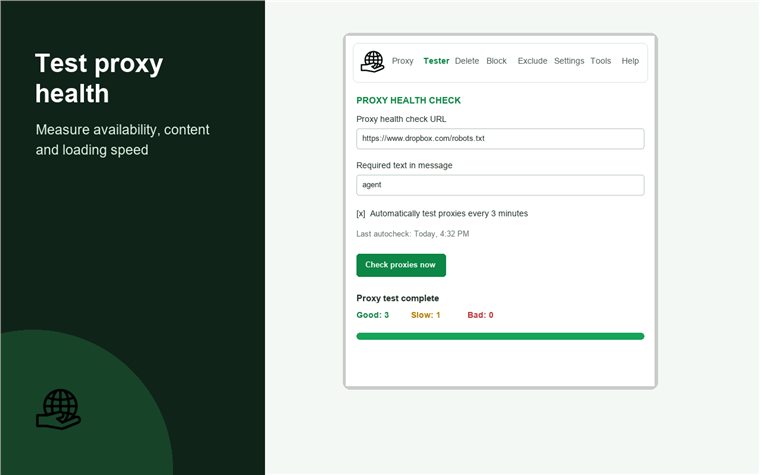
Test proxy health, speed and exit location
Run a small health check before selecting a proxy for browsing. Separate connection failures, authentication failures, slow responses and target-site errors; they require different fixes. If each proxy belongs to a separate anti-detect profile, our DICloak browser profile guide covers assignment and verification.
Switch and rotate proxies deliberately
Use manual switching for important accounts and controlled rotation for authorized testing that can tolerate IP changes. Keep one account paired with a stable proxy when session consistency matters.
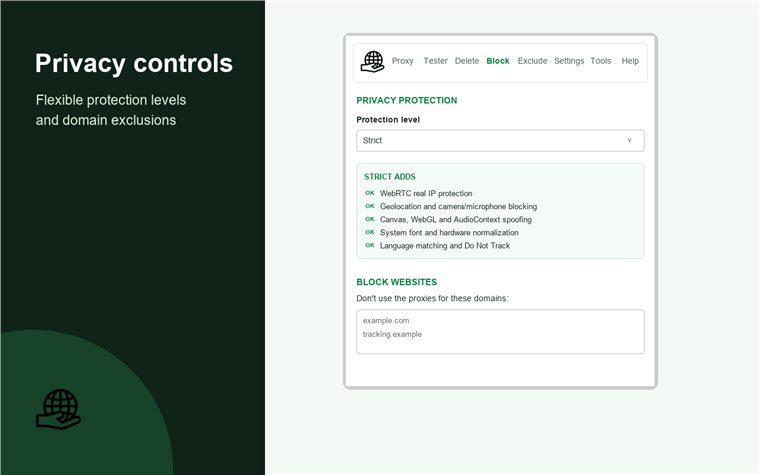
Configure bypass and privacy controls
Add direct-connection bypass rules only for domains that should not use the proxy. Review WebRTC and geolocation controls separately because a proxy changes network routing, not every browser signal.
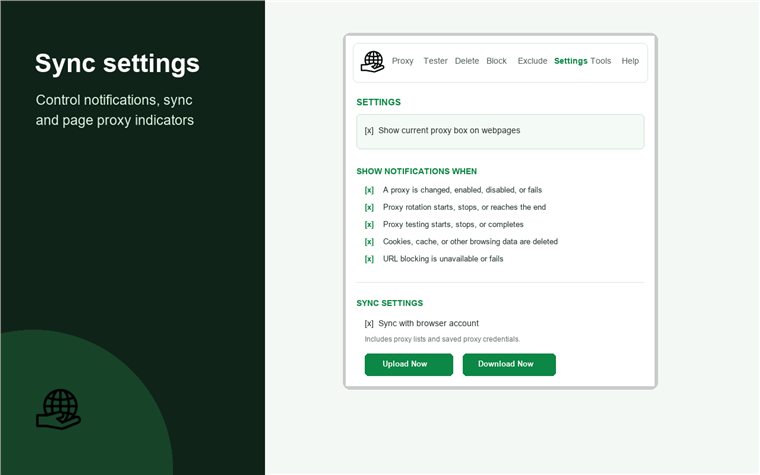
Sync settings and clean browser data
Choose whether settings should remain local or use supported browser sync. Cleanup actions can sign you out or remove useful site state, so apply them only when the workflow requires it.
Troubleshoot a proxy extension
| Symptom | Check |
|---|---|
| Cannot connect | Host, port, protocol and network reachability |
| Authentication prompt repeats | Username, password or source-IP authorization |
| Wrong country | Actual exit IP and selected proxy entry |
| One website fails | Target response, bypass rules and proxy compatibility |
| Direct IP leaks | Active proxy state, WebRTC behavior and browser policies |
Proxy switcher versus system proxy settings
System settings can affect many applications. A browser proxy manager provides faster per-browser control, testing and labels, but applications outside the browser may continue to use their own network route.
Use the other BP browser add-ons
Review tracker requests with BP Tracker Blocker, test browser coordinates with BP Geolocation Spoofer, and inspect site cookies with BP Cookies Manager.
BP Proxy Switcher FAQ
Which proxy protocols are supported?
The extension supports HTTP, HTTPS and SOCKS5 proxy workflows shown by the installed version.
Can it test proxy speed?
It can run connection and response checks; real target performance still depends on route and website.
Should I rotate proxies for every request?
No. Use controlled rotation only when the authorized workflow supports IP changes.
Does a proxy change browser geolocation?
Not automatically. Network IP and browser geolocation are separate signals.
Why does one site fail while the proxy test passes?
The target can block or challenge the exit IP even when the proxy connection itself works.
Order clarity
What you receive
- What you receive
Proxy connection details for the package processed through the live order form.
- Protocols
HTTP or SOCKS5 options are shown during configuration for supported packages.
- Authentication
Set the requested proxy credentials during configuration before checkout.
- Locations
Current location availability is shown in the selector and can change with inventory.
- Support and checking
Support can help verify connection details and review replacement requests under the service policy.