
BP Cookies Manager: Edit, Block and Export Cookies
Use it carefully: cookies can contain authentication and personal data. Work only with accounts and websites you are authorized to test, and never share live session cookies.
Last reviewed: July 2026


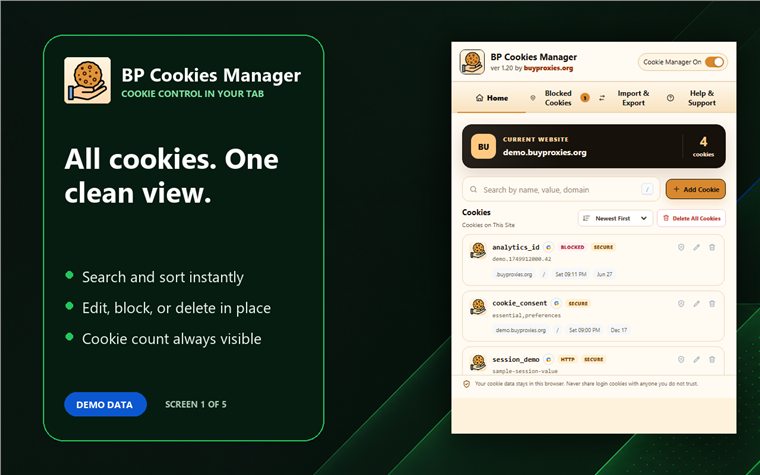
What a browser cookie manager can change
A cookie editor can work with cookie records exposed through the browser extension APIs. Browser security rules still apply: domain, path, Secure, HTTP-only, SameSite, partitioning and expiration attributes affect when a cookie can be read or sent.
View and search current-tab cookies
Open the extension on the target website, confirm the displayed domain, and search by cookie name. Record the original value and attributes before making a test change so the state can be restored.
Edit cookie values and attributes
Select a cookie and change only the field required by the test. A valid value is not enough if the domain, path, expiration or security flags prevent the browser from sending it.
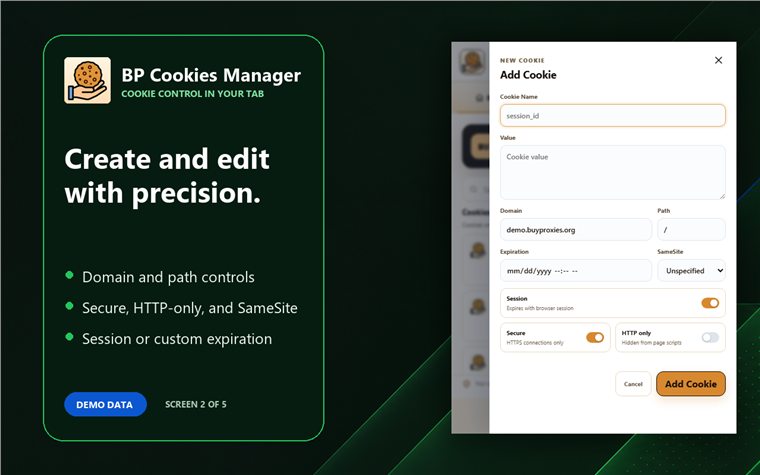
Create or delete website cookies
Create a cookie only for an authorized QA workflow and use the narrowest valid domain and path. Delete selected cookies when isolating state; then reload the page and confirm whether the application creates them again.
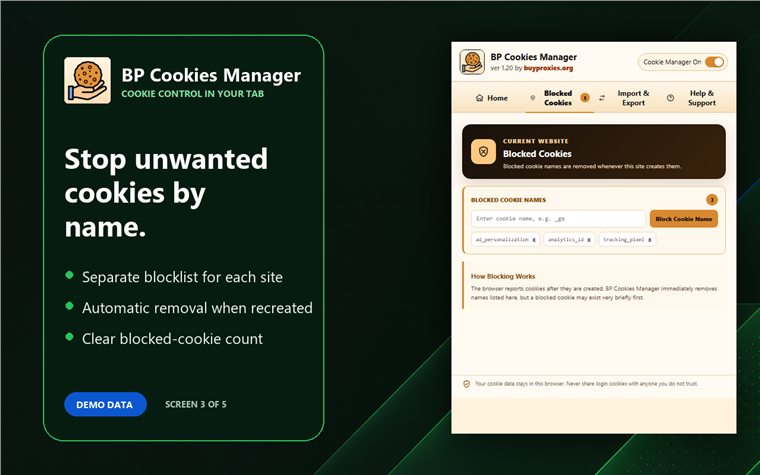
Block selected cookie names
Use blocking rules to test how a page behaves without a specific cookie. Blocking may break preferences, authentication or consent flows, so keep the rule scoped to the intended website and remove it after testing.
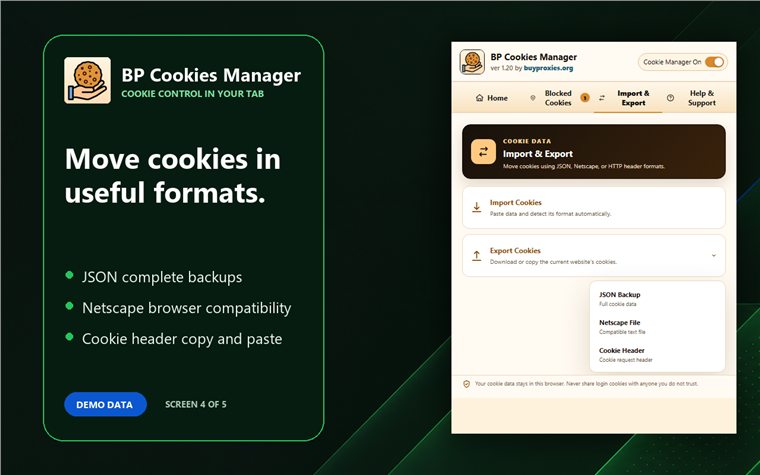
Import and export cookies
Use JSON, Netscape or Cookie header formats only when the destination and format are understood. Inspect exported data before storage, remove sensitive values from support examples, and never import unknown session cookies.
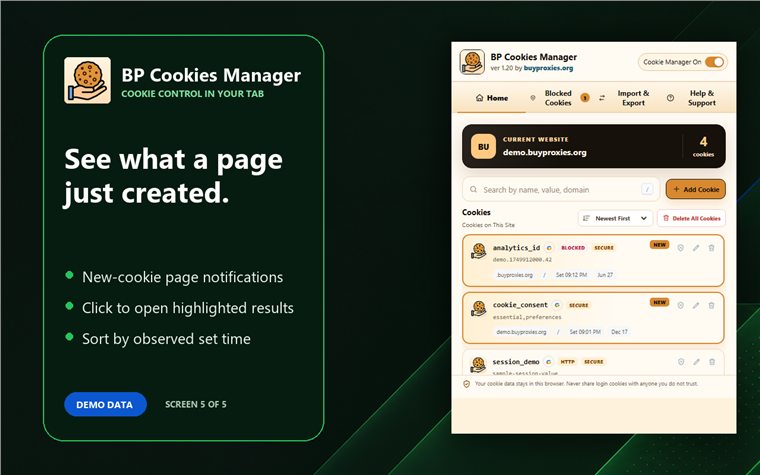
Detect newly created cookies
Reload the website after clearing or changing state, then compare the new cookie list. This helps identify which interactions create a cookie and whether its attributes match the intended behavior.
Troubleshoot cookie edits
| Symptom | Check |
|---|---|
| Cookie disappears | Expiration, domain, path and browser rejection |
| Website ignores value | Account state, server validation and duplicate cookie paths |
| Import fails | Selected format, required fields and invalid lines |
| Cookie returns after deletion | Website scripts or server responses recreating it |
Cookie manager versus browser developer tools
Developer tools suit one-off inspection. BP Cookies Manager adds focused search, repeated editing, blocking and import/export workflows from the toolbar. Combine it with BP Tracker Blocker, BP Geolocation Spoofer or BP Proxy Switcher when the test needs those separate controls.
BP Cookies Manager FAQ
Can I edit HTTP-only cookies?
Browser extension APIs and permissions determine which attributes can be changed; verify the result in the installed browser.
Why does an edited cookie disappear?
Check its expiration, domain, path and security attributes, plus any server response that overwrites it.
Which import and export formats are supported?
The page provides workflows for JSON, Netscape and Cookie header formats; validate the selected format before importing.
Can blocking a cookie break a website?
Yes. Authentication, consent and preferences may rely on it, so scope and remove test rules carefully.
Is it safe to share exported cookies?
No by default. Exports may contain active sessions or personal data and should be protected like credentials.