Germany proxy guide
Germany Proxies: Private German IPs for Regional QA
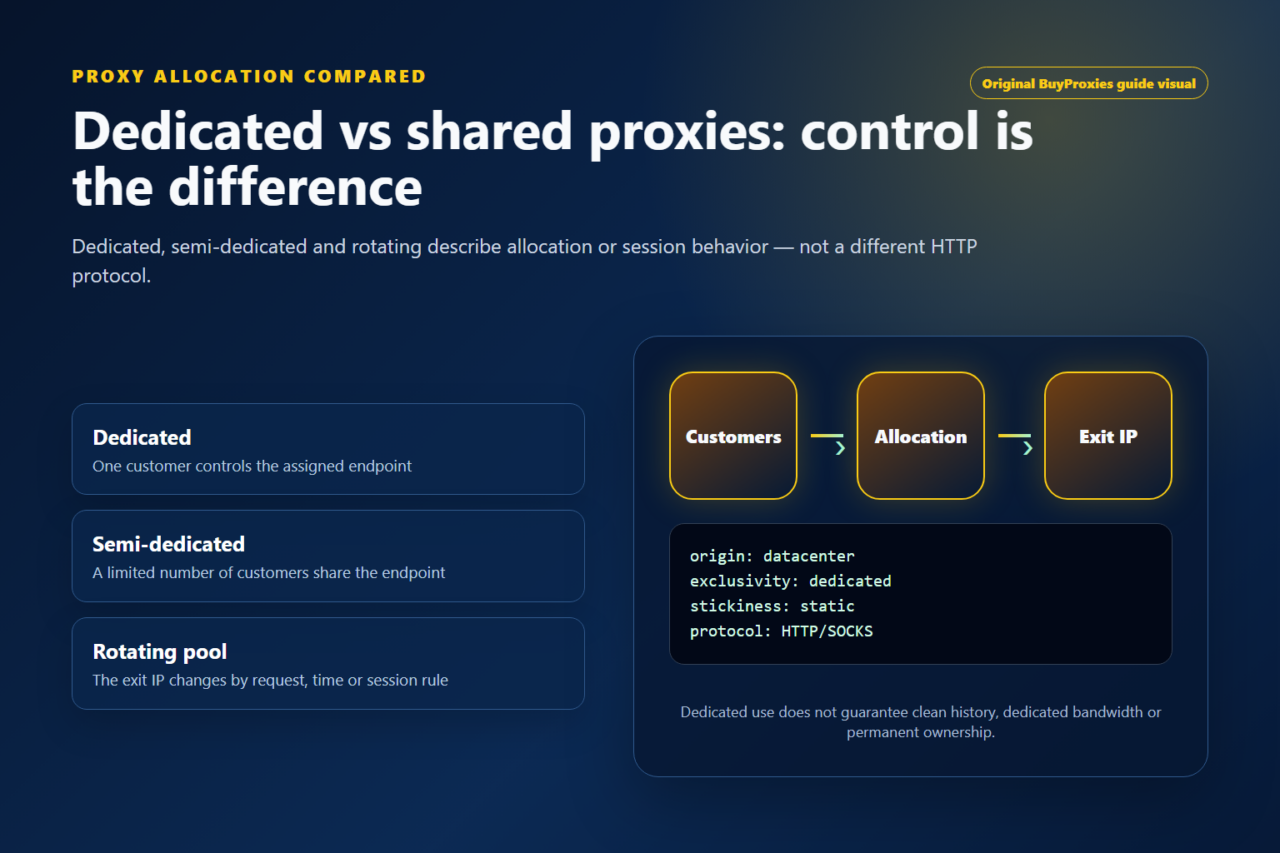
Buy private German datacenter proxies for regional website testing, ecommerce research and development. Choose Dedicated for IPs assigned exclusively to one customer, or Semi-Dedicated for IPs shared by up to three users.
What a German proxy changes
A Germany proxy changes the public address and network path visible to a destination. The target can normally identify a German exit and its datacenter ASN instead of the direct user connection. This is useful for a repeatable regional comparison, but it does not automatically set German language, currency, consent state or account country. Websites may combine IP location with browser preferences, cookies, login history and business rules. Record these inputs and change only the route during the first comparison. That discipline prevents a tester from attributing every European content difference to the proxy when another setting is responsible.
Regional QA and European market checks
Teams can use a German route to review public localization, redirects, CDN delivery, advertising landing pages, local search results and API availability. Developers can reproduce a report from a German user, while SEO teams can monitor a stable query set from a documented market. Public research should respect the destination terms, robots instructions, technical rate limits and applicable data rules. If an account is involved, use one the organization is authorized to operate and keep its normal security controls. The proxy establishes a measurable connection path; it does not replace a lawful basis, an API permission or an account role.
Dedicated versus semi-dedicated German IPs
Use a dedicated assignment when one customer must control the IP history for a recurring monitor, browser profile, authenticated application or client project. Semi-dedicated proxies can lower cost for public checks and development tasks that do not depend on exclusive history. The right choice depends on session duration, sensitivity and the cost of an unexpected reputation change. Begin with a small test, verify the German exit and run the exact target workflow. Do not buy the largest package before confirming that the application supports the selected protocol and that the destination accepts the normal request pattern.
Language, consent and localization evidence
German websites can vary by language header, cookie consent, account setting and European legal configuration as well as IP. Start with a clean documented browser profile when checking a public page, set the intended language deliberately and note whether consent has already been stored. Capture the final URL, visible locale, currency and timestamp. For search or advertising comparisons, use the same query, device size and account state. This produces evidence that another reviewer can reproduce. If the site continues to show a different region, check application localization logic before assuming that the German exit is incorrect.
Protocol and authentication setup
Choose HTTP when the web client explicitly supports a proxy and SOCKS5 when the application needs a more general proxy connection. UDP use depends on the plan and client shown during configuration. Username and password authentication works well for laptops and changing source networks. IP authorization is convenient for a server with a stable outbound address. Keep secrets in a password manager or server-side secret store. After configuring the client, confirm the German exit outside the target, then run a single target request and retain the status code and response timing.
Diagnose reputation and target errors
A proxy can be reachable while one destination returns an error. Use the proxy tester for connectivity, the location checker for country and the blacklist checker for reputation context. Then interpret the target response. Authentication failures, network timeouts, policy responses and application errors require different actions. Reduce the workflow to one request, remove unrelated browser extensions and compare with a second public endpoint. Share a timestamp, target hostname, protocol and proxy identifier with support rather than sending credentials. A controlled diagnosis protects the session history and avoids unnecessary changes.
Choose the setup around the task
| Workflow | Starting point | Verification |
|---|---|---|
| German localization QA | Stable German exit | Record language, consent, redirect, currency and final URL. |
| European SEO monitoring | Dedicated Germany proxy | Keep query, browser and schedule constant across reports. |
| Server or API test | Dedicated proxy with IP authorization | Log status, request ID and latency without exposing secrets. |
Verification workflow
- Define the German or European behavior the test is expected to show.
- Choose the assignment and protocol that match the session and client.
- Verify the German exit country and ASN with an independent check.
- Run the exact target request with documented language, consent and account state.
- Save evidence and classify errors before changing the route or package.
Important limitations
- A German IP does not automatically select German language or account country.
- Consent and personalization state can change visible content independently of location.
- Datacenter reputation and target acceptance must be tested separately.
- Access and data handling remain subject to European law and destination policy.
Start with a controlled test
A German exit is most valuable when the test is narrow, authorized and repeatable. Confirm country, protocol and destination behavior with a small package, then preserve the same documented context for future comparisons.
Plan a Germany proxy workflow
Check fit before choosing a package
Good fit
German ecommerce, search, localization and recurring European monitoring workflows.
Verify before scaling
Verify the German exit and target response; language and consent choices are separate browser signals.
Order clarity
What you receive
- What you receive
Proxy connection details for the package processed through the live order form.
- Protocols
HTTP or SOCKS5 options are shown during configuration for supported packages.
- Authentication
Set the requested proxy credentials during configuration before checkout.
- Locations
To request IPs from Germany, enter Germany in the Where will you use the proxies? field (usage) during configuration. Verify the assigned exit country after setup.
- Support and checking
Support can help verify connection details and review replacement requests under the service policy.