GSA Search Engine Ranker Proxies: Setup Guide
GSA Search Engine Ranker proxies form a connection pool that the application can test and assign to selected project activities. A reliable setup starts with a normalized private proxy list, the correct protocol and authentication, realistic concurrency and a small target-specific test before several projects use the same pool.
The goal is controlled, measurable routing—not maximum thread count. Proxies cannot guarantee rankings, successful submissions or acceptance by a destination. Use GSA SER only for websites, campaigns and systems you are authorized to manage, and follow the rules of every target.
Quick answer
Open GSA SER’s global proxy setup, import the paid proxy list supplied by your provider, select the matching proxy type and test a small sample. Decide exactly where the application may use proxies, start with conservative threads and watch connection, authentication and target errors before increasing load.
The official GSA Search Engine Ranker product page confirms that the application can import paid proxies, collect public proxies, define proxy type and usage, and react when proxies become good or bad. This guide focuses on the private-proxy workflow because it is easier to document, reproduce and support.
What you need before importing proxies
| Input | Record before setup | Why it matters |
|---|---|---|
| Proxy host | IP address or hostname | Identifies the endpoint. Keep URL prefixes out unless the importer explicitly requests them. |
| Port | Numeric service port | Must match the supplied protocol and endpoint. |
| Authentication | Username/password or authorized public IP | A mismatch can make a healthy endpoint appear offline. |
| Proxy type | HTTP, HTTPS or SOCKS5 as supplied | GSA SER must connect with the same type exposed by the service. |
| Provider limits | Concurrent connections and acceptable use | Thread settings should remain inside the actual service limits. |
| Approved targets | Sites or systems included in the project | Lets you test compatibility before scaling the workflow. |
Keep credentials outside shared screenshots and logs. If the endpoint uses IP authorization, confirm the public IP of the computer or server running GSA SER before assuming the password is wrong. The proxy authentication guide explains both models.
Private proxies vs collected public proxies
| Source | Advantages | Limitations |
|---|---|---|
| Private paid proxies | Known credentials, clearer ownership, stable support path and repeatable testing. | Finite capacity and a recurring cost; the project must respect connection limits. |
| Public proxies collected by the application | Useful for disposable connectivity experiments without a provider account. | Frequently unavailable, slow or already used by unknown operators; unsuitable for accounts, credentials or important projects. |
Do not combine private and public endpoints in one undifferentiated list. Separate pools let you understand which source caused a failure and prevent an untrusted public endpoint from being used by a sensitive project.
GSA SER proxy setup in 8 steps
- Define the authorized project scope. Record the destinations, expected request volume and activities that genuinely require proxy routing.
- Open the global proxy setup. Use the application’s proxy options rather than pasting endpoints into unrelated project fields.
- Select the supplied proxy type. Match HTTP, HTTPS or SOCKS5 to the provider details. Do not treat the protocol as a speed preference.
- Normalize the list. Put one endpoint on each line and use the Proxy Formatter when columns, separators or credential order are inconsistent.
- Import the paid proxies. Keep a dated copy of the original provider list so you can compare later changes without exposing passwords in a project report.
- Test a small sample. Confirm reachability, authentication and the visible exit IP before testing the entire pool.
- Choose where proxies are used. Enable them only for the approved activities and projects. A global setting without documented scope makes errors harder to attribute.
- Start conservatively and monitor. Run a small project with low concurrency, review failures and increase threads only when the pool and targets remain stable.
Proxy formats GSA SER can import
| Authentication model | Common normalized line | Check before import |
|---|---|---|
| Authorized source IP | host:port |
The machine running GSA SER must be on the provider’s authorization list. |
| Username and password | host:port:username:password |
Confirm separator order and URL-encode unusual characters only when the importer requires it. |
Providers and software versions can expose additional import choices. Use the format shown by the current proxy dialog, import a few lines and inspect the parsed host, port and credentials before adding the full list. A format that imports without an error can still be wrong if the fields were assigned in the wrong order.
Test proxies before assigning projects
- Reachability: confirm the endpoint accepts a connection on the supplied host, port and protocol.
- Authentication: distinguish invalid credentials from a source-IP authorization problem.
- Visible exit: compare a sample with the Proxy Tester and verify that the result is not the local connection.
- Location and reputation: check the assigned country and inspect a sample with the Proxy Blacklist Checker.
- Route quality: compare several normal requests with the proxy region speed test. One unusually fast request is not a capacity measurement.
- Target compatibility: run the actual authorized project at low concurrency and record the destination response.
A generic checker proves that a proxy is reachable; it does not prove that every destination accepts it. Keep target tests separate, and avoid deleting an entire pool because one site returns a policy or rate-limit response.
Threads, retries and proxy pool size
There is no universal proxy-to-thread ratio. Capacity depends on provider connection limits, target response time, retry behavior, local bandwidth and the number of simultaneous projects. Begin below the documented connection limit, increase gradually and stop when timeouts or target errors rise faster than completed work.
Retries also consume connections. A short timeout combined with immediate repeated retries can overload a healthy pool and make it look unreliable. Use bounded retries, a delay between attempts and clear failure categories. Review how many proxies a workflow needs before buying a large list solely to compensate for aggressive settings.
Assign proxies by project and purpose
Use separate named pools when projects have different countries, target groups or risk levels. Record the list version, intended location, protocol and provider limit with the project. If an endpoint changes at renewal, retest it before resuming a long-running campaign.
Do not assume rotation is always desirable. Some authorized tests need a stable route for a session; others need a controlled set of independent endpoints. Match assignment behavior to the project and document the reason instead of rotating on every request by default.
Fix common GSA SER proxy errors
| Symptom | Likely cause | What to check |
|---|---|---|
| Every imported proxy fails immediately | Wrong type, field order or port | Test one endpoint manually and compare each parsed field with the provider record. |
| Authentication errors | Incorrect credentials or source IP not authorized | Retype values, confirm the authentication model and verify the current public IP. |
| Proxies pass the tester but projects fail | Target policy, project settings or excessive concurrency | Run one approved target at low threads and capture the exact response. |
| Performance falls after increasing threads | Connection limit, retries or local bandwidth | Reduce concurrency and compare completion rate rather than raw thread count. |
| Location differs between tools | Geolocation databases update at different times | Compare multiple sources and prioritize the behavior of the actual destination. |
| Pool health changes repeatedly | Unstable public endpoints or an overly strict test | Separate private and public pools and review the test URL, timeout and failure rule. |
Dedicated or semi-dedicated proxies for GSA SER
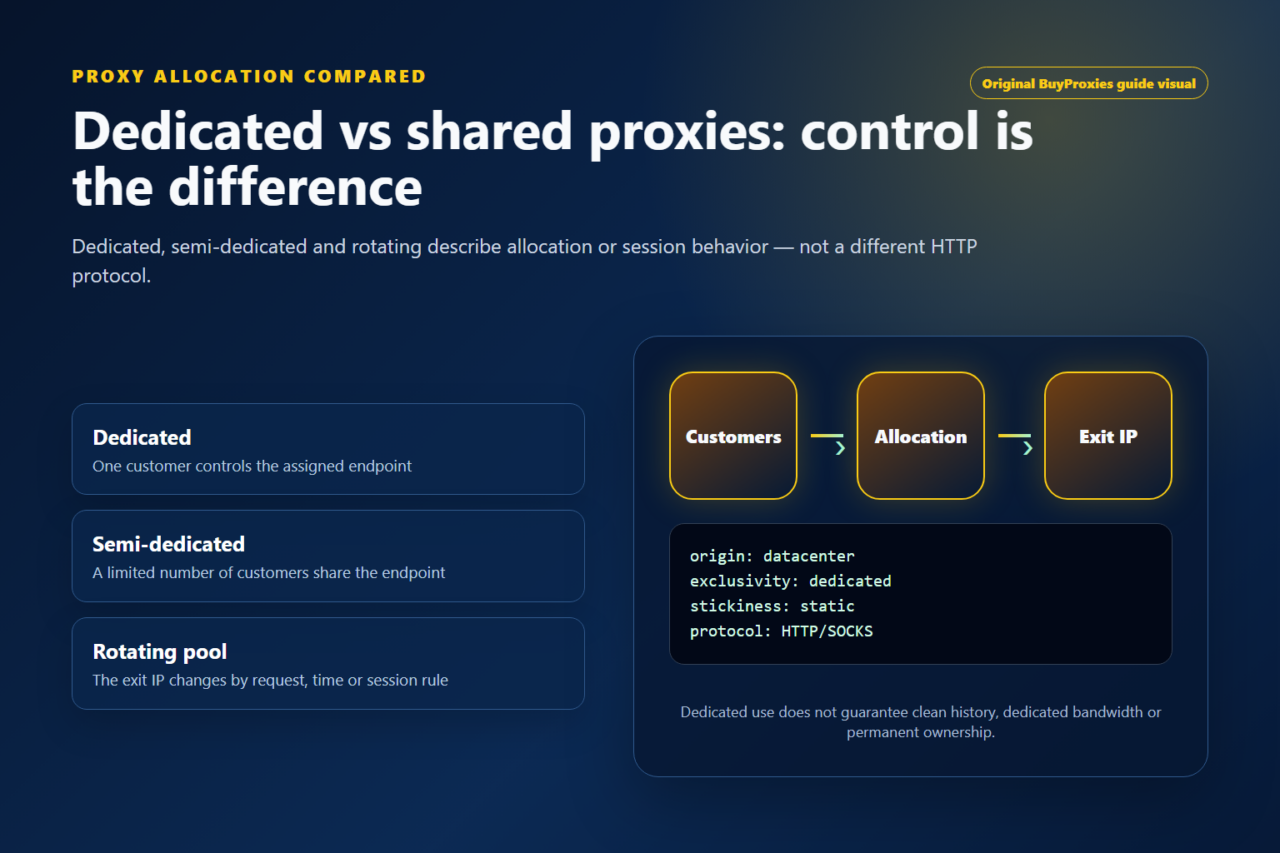
Dedicated proxies are the stronger fit for recurring projects that need one-customer assignment, repeatable testing and clearer endpoint history. Semi-dedicated proxies can suit lower-cost public testing where limited sharing is acceptable.
Start with a small package, test the exact project and scale from measured completion and error rates. Buying more endpoints does not correct malformed imports, invalid authentication or settings that exceed the provider’s limits.
GSA Search Engine Ranker proxy FAQ
Can GSA Search Engine Ranker import paid proxies?
Yes. GSA’s official product description states that the application can import paid proxies and also collect public ones. Keep those sources in separate pools so failures remain attributable.
What proxy format should I use in GSA SER?
Use the format shown by the current import dialog and provider. Common normalized lines are host:port for source-IP authorization and host:port:username:password for credential authentication.
Why do GSA SER proxies fail the test?
Frequent causes are a protocol or port mismatch, incorrectly ordered fields, expired credentials, missing source-IP authorization, a test timeout or an endpoint that is temporarily unavailable.
Are public proxies suitable for important GSA SER projects?
No. Public proxies are unstable and controlled by unknown operators. Do not use them for accounts, credentials, client work or projects that require repeatable results.
How many proxies do I need for GSA SER?
The answer depends on provider connection limits, target response time, retries and active projects. Begin with a small private pool and scale from measured completion and failure rates.
For a controlled test, compare dedicated proxy plans for GSA Search Engine Ranker or a semi-dedicated proxy package.
Order clarity
What you receive
- What you receive
Proxy connection details for the package processed through the live order form.
- Protocols
HTTP or SOCKS5 options are shown during configuration for supported packages.
- Authentication
Set the requested proxy credentials during configuration before checkout.
- Locations
Current location availability is shown in the selector and can change with inventory.
- Support and checking
Support can help verify connection details and review replacement requests under the service policy.