
BP Geolocation Spoofer Help
BP Geolocation Spoofer – Browser Location Spoofer for Chrome, Firefox and Edge
Install BP Geolocation Spoofer, choose a saved city profile or custom coordinates, and make websites receive the browser geolocation you select through navigator.geolocation.
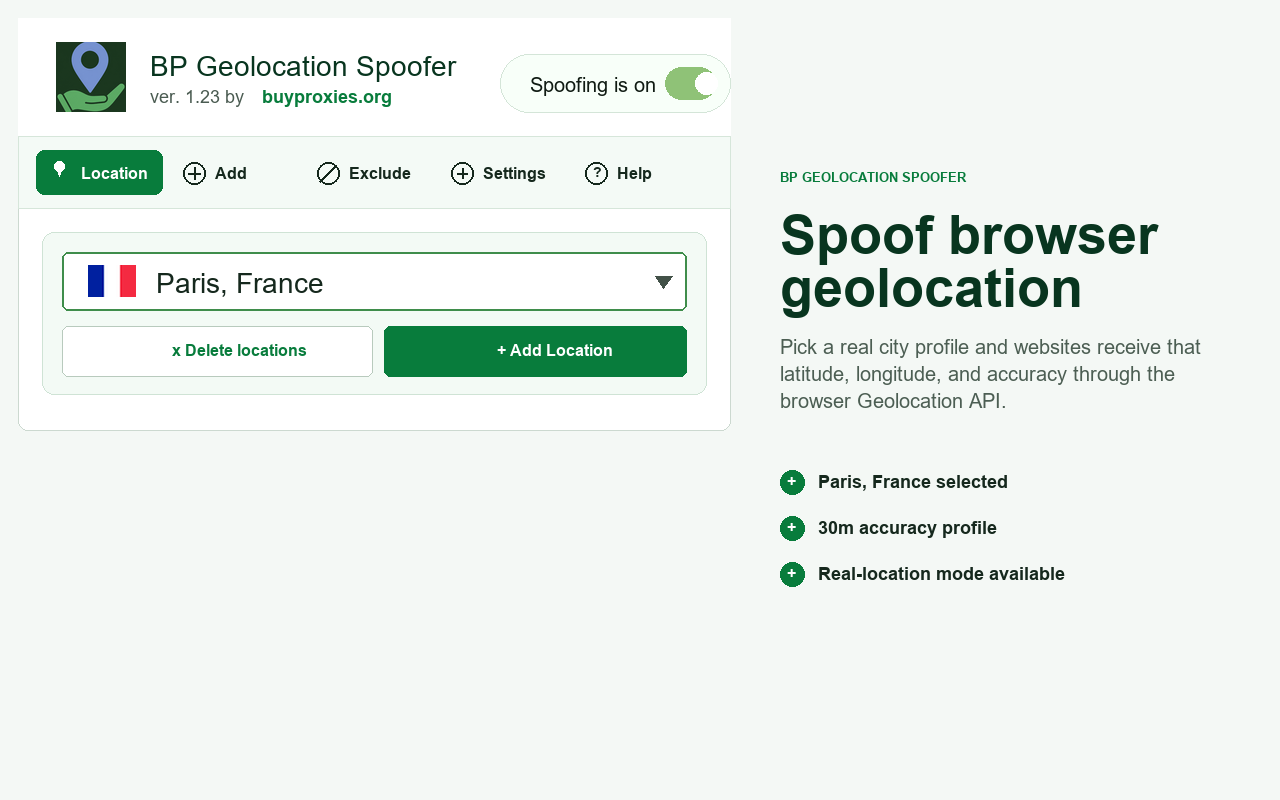
What BP Geolocation Spoofer does
BP Geolocation Spoofer changes the browser Geolocation API response visible to website JavaScript. If a site asks the browser for location, the site can receive your selected latitude, longitude, and accuracy instead of your real browser location.
Important: This extension does not change your IP address, proxy, VPN, timezone, operating-system GPS, browser language, or signed-in account location.
Why use a browser geolocation spoofer?
Many websites use browser geolocation for maps, local search, weather, delivery availability, booking flows, store pickup, forms, pricing, and region-based content. BP Geolocation Spoofer gives you a simple popup for repeatable location testing without manually changing coordinates in browser developer tools.
- Test location-based website behavior from multiple cities.
- Verify maps, search results, weather, and delivery flows.
- Check region-aware forms and localized landing pages.
- Create saved profiles for repeated QA tests.
- Keep selected websites on real browser geolocation.
- Match browser geolocation with a proxy or VPN location when needed.
Install BP Geolocation Spoofer
Choose your browser, install the extension, then pin it to the toolbar so the location selector is easy to open while testing.
Chrome
- Open the Chrome Web Store link.
- Click Add to Chrome.
- Confirm with Add extension.
- Pin BP Geolocation Spoofer from the extensions menu.
Firefox
- Open the Firefox Add-ons link.
- Click Add to Firefox.
- Approve the browser permission prompt.
- Open BP Geolocation Spoofer from the toolbar.
Microsoft Edge
- Open the Microsoft Edge Add-ons link.
- Click Get or Add extension.
- Confirm the Edge permission prompt.
- Pin BP Geolocation Spoofer for quick access.
How to spoof browser location
- Open the extension popup. Click BP Geolocation Spoofer in the browser toolbar.
- Go to Spoof Location. Choose where websites should see you.
- Select a profile. Use a preset city, saved custom location, or real-location mode.
- Keep spoofing on. The switch should show that spoofing is active.
- Refresh the website. Let the page request location again after changing profiles.

Add custom latitude and longitude
The Add Location screen lets you save your own mock location. Search a place with OpenStreetMap lookup, or enter latitude, longitude, accuracy, and optional altitude manually.
- Open Add Location.
- Type a city, address, or place name.
- Use the suggested coordinates or enter your own.
- Set the accuracy in meters.
- Save the profile and select it from Spoof Location.
Let trusted sites use real location
Not every website should receive a spoofed location. Add trusted domains under Real Location Sites when they should bypass spoofing and use real browser geolocation.
This is useful for maps, internal tools, local services, or any website where you want real browser location while keeping spoofing active elsewhere.
See when spoofing is active
The optional page location badge shows the active spoofed location on the page. You can move it, close it, or disable it in Settings. It helps you confirm the selected location without reopening the extension popup.
Expected result
- The site asks for browser location permission.
- The browser receives the selected latitude and longitude.
- The active-location badge matches your selected profile.
- Your IP address may still show a different location unless you also use a matching proxy or VPN.
Privacy and data
BP Geolocation Spoofer keeps settings local in browser extension storage. Saved locations, selected profile, spoofing state, real-location site rules, and page badge settings stay on your device.
When you use OpenStreetMap lookup, only the location search text you type is sent to the lookup provider so the extension can return location suggestions and coordinates. The extension does not collect browsing history, page content, passwords, messages, payment data, or form contents.
FAQ
What is a browser geolocation spoofer?
A browser geolocation spoofer changes the location returned by the browser Geolocation API. Websites that request navigator.geolocation receive selected coordinates instead of the real browser location.
Does BP Geolocation Spoofer change my IP address?
No. It only changes browser geolocation responses. It does not change your IP address, proxy, VPN, network location, timezone, or operating-system GPS.
Why does a site still show my old location?
Refresh the page after changing the selected location. Also make sure the site is not listed under Real Location Sites and that the site is using browser geolocation instead of IP location.
Can I use my real location?
Yes. Select Use my real location in the location selector, or add trusted domains under Real Location Sites.
Can I add custom coordinates?
Yes. Use Add Location to save custom latitude, longitude, accuracy, and optional altitude as reusable profiles.
Why does the website show my IP location?
Some websites estimate location from your IP address instead of the browser Geolocation API. BP Geolocation Spoofer changes browser geolocation, not IP location.
Download BP Geolocation Spoofer
Install BP Geolocation Spoofer and start testing browser geolocation from saved cities or custom coordinates.