
How to Use Proxies in Rust with reqwest
To use a proxy in Rust, build a reqwest::Client with Proxy::all, then send requests through that client. An HTTP proxy can carry requests to HTTPS destinations through a CONNECT tunnel. For SOCKS5, enable the socks feature and choose where destination DNS lookups should happen.
This guide uses a small command-line program to check the public IP a destination sees. Run it from the same machine or container as your Rust application, then use the same client configuration for an API request you want to test.

Install reqwest and Tokio
cargo new rust-proxy-check
cd rust-proxy-check
Replace the generated [dependencies] section in Cargo.toml with the one below. The examples use the reqwest 0.13 series. The socks feature is only needed if you use a SOCKS proxy.
[dependencies]
reqwest = { version = "0.13", features = ["socks"] }
tokio = { version = "1", features = ["macros", "rt-multi-thread"] }
Connect through an authenticated HTTP proxy
Use the host and port your provider lists for HTTP proxy access. A proxy URL such as http://proxy.example.com:3128 can carry a request to https://api64.ipify.org. The first URL selects how Rust connects to the proxy. The second selects the protocol used with the destination. With HTTPS over an HTTP proxy, TLS to the destination starts inside the CONNECT tunnel. Basic proxy credentials sent to an http:// endpoint travel without TLS on the connection to the proxy. Use https:// for the proxy URL if the proxy endpoint itself supports TLS.
Replace src/main.rs with this program. It sets a connection timeout and an overall request timeout, disables redirects for the IP check, and parses the response as an IPv4 or IPv6 address. ipify API reference.
use reqwest::{Client, Proxy, redirect::Policy};
use std::{env, error::Error, net::IpAddr, time::Duration};

#[tokio::main]
async fn main() -> Result<(), Box<dyn Error>> {
    let proxy_url = env::var("APP_PROXY_URL")?;
    let username = env::var("APP_PROXY_USER")?;
    let password = env::var("APP_PROXY_PASSWORD")?;
    let proxy = Proxy::all(proxy_url.as_str())?.basic_auth(&username, &password);

    let client = Client::builder()
        .proxy(proxy)
        .connect_timeout(Duration::from_secs(5))
        .timeout(Duration::from_secs(15))
        .redirect(Policy::none())
        .build()?;

    let response = client.get("https://api64.ipify.org").send().await?;
    if !response.status().is_success() {
        return Err(format!("IP check returned HTTP {}", response.status()).into());
    }

    let ip: IpAddr = response.text().await?.trim().parse()?;
    println!("Observed exit IP: {ip}");
    Ok(())
}
In Bash, replace the example endpoint and enter the credentials at the prompts. For CI or a deployed service, inject the variables from your secret store. Keep the proxy URL free of credentials and avoid printing client configuration or unredacted connection errors in shared logs.
(
    export APP_PROXY_URL='http://proxy.example.com:3128'
    read -r -p 'Proxy username: ' APP_PROXY_USER || exit 1
    read -r -s -p 'Proxy password: ' APP_PROXY_PASSWORD || exit 1
    printf '\n'
    export APP_PROXY_USER APP_PROXY_PASSWORD
    cargo run --quiet
)
Compare the printed IP with the egress IP you expect from your provider. If your service uses IP allowlisting, remove the two credential reads from the Rust example and use let proxy = Proxy::all(proxy_url.as_str())?;. Authorize the public source IP of the machine running the program before you test. Keep any token for the destination API on the destination request. See the proxy authentication guide for both access methods.
Use SOCKS5 and choose where DNS resolves
With the socks feature enabled, substitute the line below for the export APP_PROXY_URL line in the Bash block and run that block again. Use the port and credentials assigned for SOCKS5. In reqwest 0.13, Proxy::all(...).basic_auth(...) supplies the username and password for the SOCKS5 handshake when the proxy URL uses socks5:// or socks5h://. Proxy credential implementation · SOCKS5 connector.
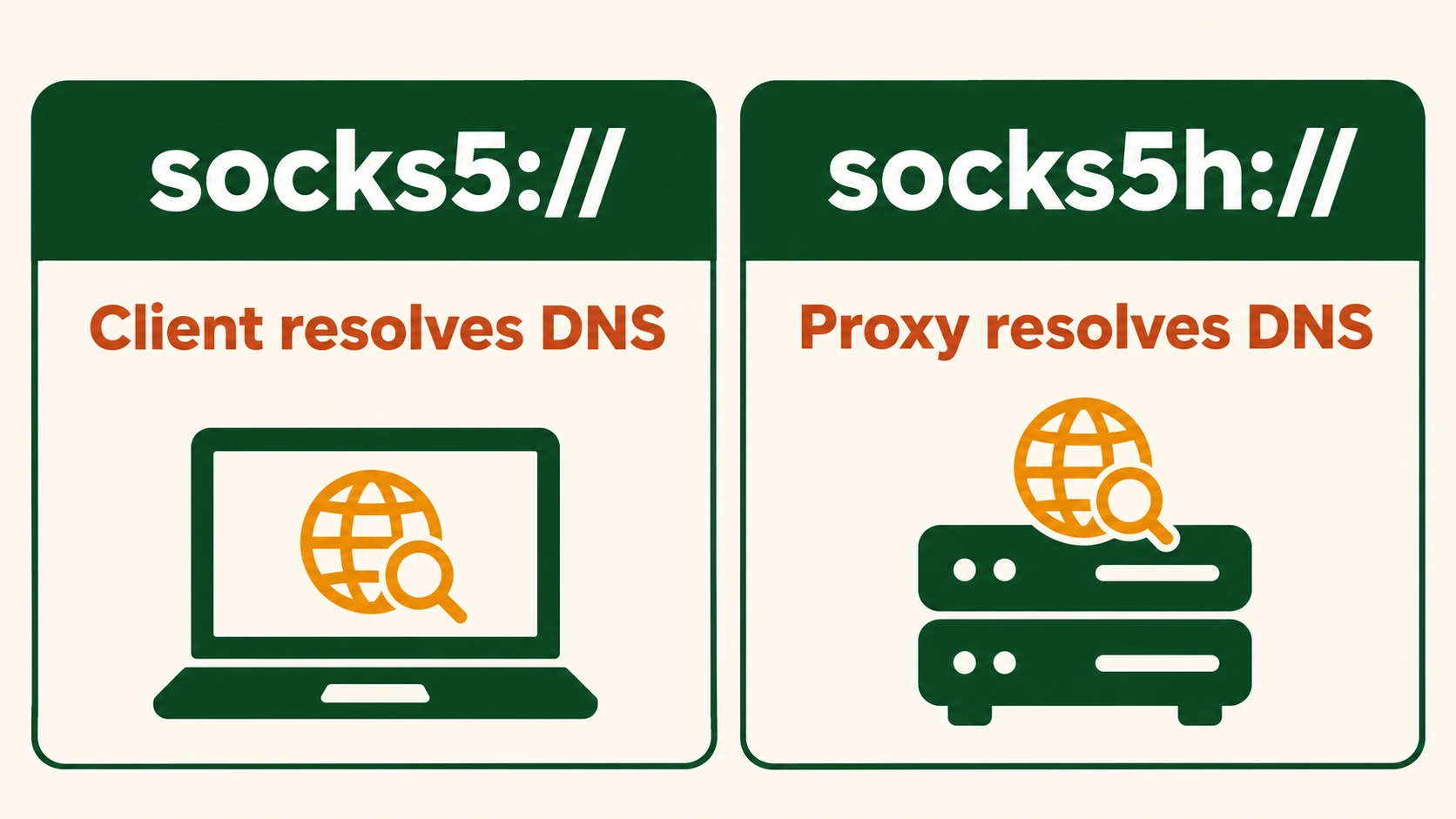
export APP_PROXY_URL='socks5h://proxy.example.com:1080'socks5:// resolves the destination hostname on the client. socks5h:// passes that hostname to the proxy for resolution. The Rust host still needs to resolve the proxy’s own hostname if you configure it by name. An IP check confirms the route seen by the destination. To verify DNS behavior, test with a hostname you control and inspect its DNS query logs. reqwest DNS selection.
Use HTTP_PROXY, HTTPS_PROXY and NO_PROXY
With reqwest’s default configuration, a client built without .proxy(...) can use HTTP_PROXY and HTTPS_PROXY. Those variable names match the destination scheme. For example, HTTPS_PROXY=http://proxy.example.com:3128 routes HTTPS requests through an HTTP proxy. Set NO_PROXY to a comma-separated list of destinations that should go directly, such as localhost,127.0.0.1. The APP_PROXY_* variables in the example are read by the program itself.
Adding .proxy(proxy) disables automatic system proxy selection for that client. For explicit routing with exceptions, attach the bypass list to the Proxy before passing it to the builder. Use Client::builder().no_proxy() to build a direct client for comparison. reqwest proxy configuration · ClientBuilder proxy behavior.
let proxy = proxy.no_proxy(reqwest::NoProxy::from_string("localhost,127.0.0.1"));Troubleshoot the first request
| What you see | What to check |
|---|---|
| HTTP 407 or a tunnel connection error | Check the proxy login, source-IP allowlist and endpoint. An HTTPS CONNECT failure can surface as an error from send() before reqwest returns a destination response. |
| Connection refused or timeout | Check the proxy host and port, the configured protocol, and network access from the process running Rust. A request timeout can also occur while waiting for the destination or reading its body. |
| Certificate error | Check the destination hostname and certificate chain. If the proxy endpoint itself uses TLS, check its hostname and trust chain too. Keep certificate verification enabled. |
| Unexpected exit IP | Check the selected endpoint, provider egress details and any bypass rules. A proxy gateway’s connection address can differ from its public exit IP. |
| HTTP 401, 403 or 429 from the destination | Check the destination credentials, access policy or rate limit. If a 429 includes Retry-After, respect that delay. |
Use the proxy tester to check an endpoint independently of your Rust application.
Once the IP check works, make one representative read-only call to your API and validate its status and response body. Reuse the Client for subsequent requests on the same route so it can reuse connections. reqwest client documentation · BuyProxies troubleshooting guide.
Rust proxy FAQ
Can I use a proxy in synchronous Rust?
Yes. Enable reqwest’s blocking feature and use reqwest::blocking::Client::builder().proxy(proxy). Use it from synchronous code. In Tokio tasks, use the asynchronous client shown above. reqwest blocking API.
Does Proxy::all route all traffic from my Rust process?
It routes HTTP and HTTPS requests sent through the reqwest client you configured. Other HTTP clients, subprocesses and raw sockets have their own routing settings. reqwest Proxy::all reference.
If you use BuyProxies, retrieve the host, port and authentication details from My Proxies, then run the IP check with the protocol you intend to use. Compare dedicated proxy plans if you need exclusive IPs. See developer proxy examples for other clients.
Sources
- reqwest proxy API
- reqwest client builder and timeouts
- reqwest SOCKS DNS behavior
- ipify public IP address API
Technical references reviewed November 22, 2026 against reqwest 0.13.5. The article’s Rust example was reviewed against those references. See our editorial policy and testing methodology.