
Ecommerce research guide
Proxies for Price Monitoring and Ecommerce Market Research
Design a responsible price monitoring workflow that preserves product identity, market context, offer details and evidence instead of collecting disconnected numbers.
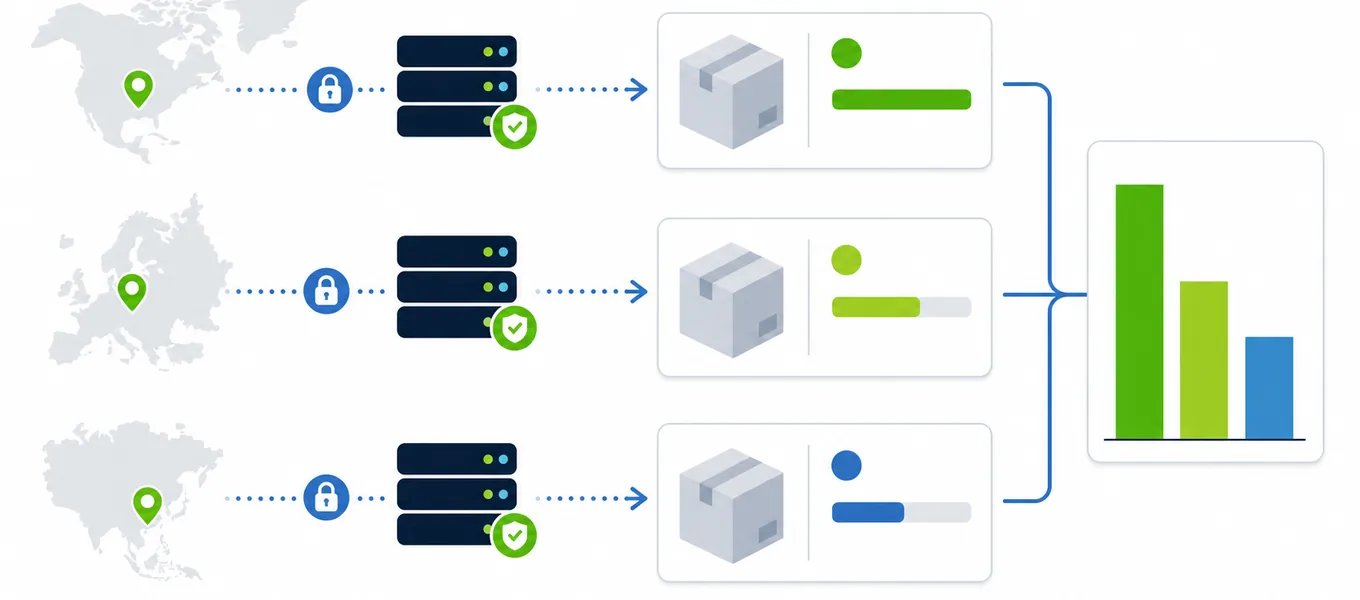
Short answer: why use proxies for price monitoring?
Proxies for price monitoring help an ecommerce, research, or revenue team compare public product offers from controlled markets. A regional proxy can reveal the page that a visitor in a particular country sees, including currency, availability, shipping messages, promotions, and sometimes tax presentation. It also separates business research traffic from an office connection and lets a measured collection system distribute approved work across healthy endpoints.
The proxy does not make two pages automatically comparable. A useful monitoring system must match the same product and variant, record market and time, normalize currency carefully, distinguish list price from sale price, and preserve source evidence. It must also respect website terms, robots instructions where applicable, applicable law, and reasonable request rates.
Define the price record before collecting data
Many bad price alerts start with a vague record. A title and number are not enough. The same page can contain a list price, sale price, member price, subscription price, installment amount, unit price, shipping charge and tax note. Decide which field the monitor needs and how it will be compared.
Schema.org describes Offer properties such as price, price currency, availability and eligible region. A website may or may not publish complete structured data, but these concepts are a useful starting point for an internal record.
| Field | Why it matters | Quality check |
|---|---|---|
| Product key | Connects repeated observations to the same item | Prefer SKU, GTIN or a verified canonical identifier over title alone |
| Variant | Size, color, capacity or package can change price | Store every selected option and reject an unexpected default |
| Price type | List, sale, member and unit prices answer different questions | Label the field rather than choosing the largest or smallest number |
| Currency and market | A number is meaningless without regional context | Record displayed currency, country, language and exit IP |
| Availability | An unavailable item can show an old or placeholder price | Save stock status and delivery message with the observation |
| Evidence | Analysts need to reproduce unusual changes | Keep URL, timestamp, screenshot or permitted HTML excerpt |
A responsible price monitoring workflow
- Define the research question. Decide which products, variants, sellers, markets, currencies, and update interval matter. Avoid collecting fields nobody will use.
- Review access rules. Check website terms, robots guidance, available feeds or APIs, and legal requirements. Prefer a licensed feed or official API when one exists.
- Create a stable product map. Store canonical URLs and identifiers. Test how variants, consent, delivery location and login state affect the offer.
- Assign a verified regional proxy. Confirm the exit country and keep the session stable while selecting a market or delivery setting.
- Collect slowly and record outcomes. Use timeouts, low concurrency, response codes and clear errors. Do not retry every failure immediately.
- Normalize after collection. Preserve the original display value, then calculate normalized currency or unit price in a separate field.
- Validate changes before alerts. Recheck large movements, confirm the variant and compare a second observation before notifying a team.
If a destination returns HTTP 429 Too Many Requests, reduce the relevant queue. The Retry-After header tells a client how long to wait in common 429 and 503 cases. Switching IPs to avoid a published limit is not responsible error handling.
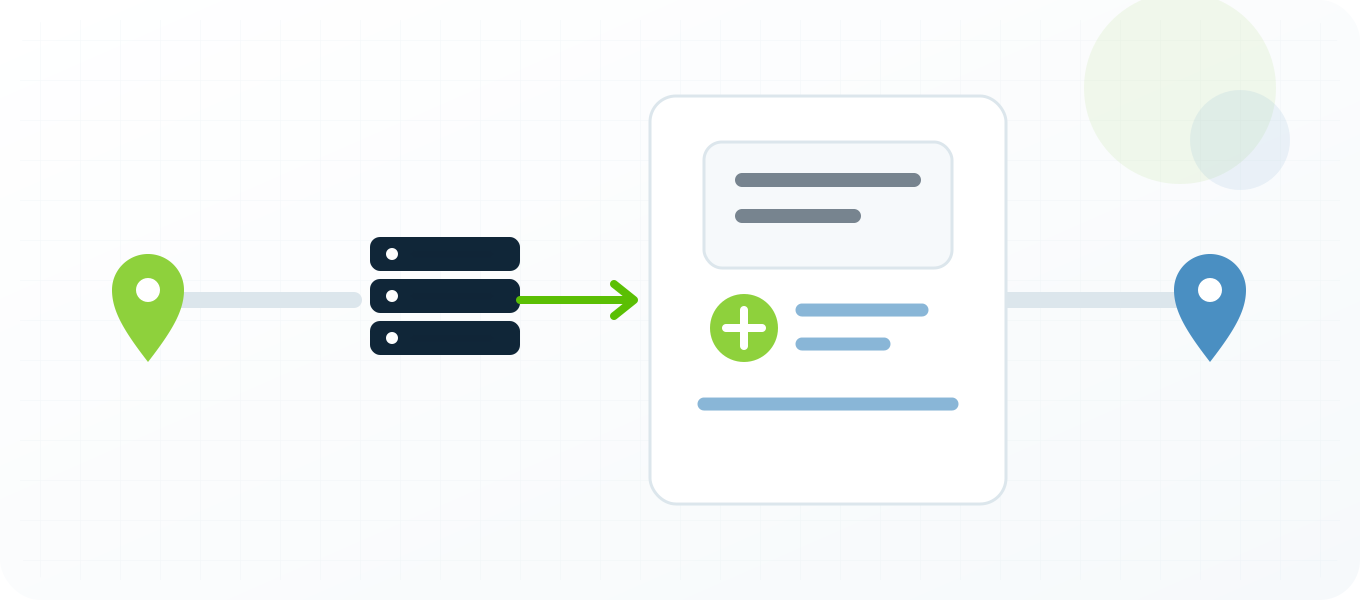
Keep market context consistent
Price can change with country, currency, language, delivery address, tax rules, account state and promotion eligibility. A regional proxy controls only the network location. Build a market profile that also defines browser language, consent state, selected store, postal code when appropriate, and whether the run is anonymous or uses an authorized test account.
Use the proxy location guide to select and verify the market. Keep the same exit for a product journey that sets cookies or delivery preferences. Changing locations between the product page and cart can produce a hybrid state that no real shopper would see.
Separate raw and normalized values
Store the displayed string exactly as observed. In separate fields, parse the numeric value, currency, tax treatment, unit, and conversion rate used for reporting. Keep the rate source and time. This protects the original evidence when finance or analytics later changes its conversion method.
Do not compare a tax-inclusive price in one market with a tax-exclusive price in another without labeling the difference. Shipping can be part of total cost but may require an address or cart. When a reliable total is unavailable, report product price and shipping message separately instead of inventing a number.
Detect false price changes
A monitoring system should assume that some observations are wrong. Pages can return bot challenges, generic templates, cached fragments, unavailable variants, experiments or consent walls. Validate the response before extracting a price.
- Confirm the expected product identifier or stable text is present.
- Reject pages with challenge, login, error or access-denied markers.
- Record the HTTP status and final URL after redirects.
- Verify the selected variant did not reset to a cheaper default.
- Compare structured data with visible text when both are present.
- Recheck a large price movement from the same market after a delay.
- Store a reason when an observation is missing rather than treating it as zero.
The proxy error code guide helps separate 407 authentication problems, destination 403 responses, rate limits, gateway failures and timeouts. Route each category differently. Repeating the same request through every proxy can turn one target-side problem into a pool-wide incident.
Choose proxy capacity for monitoring, not for headline volume
Start from the approved request schedule, number of markets, and time window. A monitor that checks 500 products once per day has a different capacity need from one that checks 20 products every few minutes. Batch by destination and market, cap concurrency, add jitter, and leave spare capacity for legitimate retries.
Track successful comparable observations per proxy, not raw requests. An endpoint that returns fast challenge pages is not productive. Use the proxy pool management guide to score recent health, quarantine ambiguous failures and replace endpoints deliberately. The proxy pool sizing guide provides a planning framework for concurrency and reserve capacity.
Turn observations into a useful ecommerce report
Show the original price, normalized price, product variant, stock status, market, source, timestamp and confidence state. A dashboard should make missing data visible. Do not draw a line through a period when the page was unavailable or the variant could not be confirmed.
Explain large movements with evidence. A promotion starting, currency changing, tax presentation changing and product variant resetting are different events. Analysts should be able to open the source record and see what the monitor saw without rerunning the request immediately.
Example: three-market comparison
A team checks one laptop configuration in the United States, Germany and the United Kingdom. Each run verifies the selected memory and storage, records displayed currency and stock, and captures shipping text. Germany appears more expensive after simple currency conversion, but its displayed value includes tax while the US price does not. The report labels that difference and prevents a false competitor alert.
Two hours later the UK value drops sharply. The validation step finds that the product page reset to the base configuration. Because variant fields are mandatory, the record is rejected instead of entering the price history.
Price monitoring proxy FAQ
What are price monitoring proxies?
They are proxies used to collect authorized public offer observations from controlled markets while recording the visible exit location and connection outcome.
Do proxies guarantee a local price?
No. Websites can also use language, delivery address, cookies, account state, selected store and experiments. A proxy controls the network location only.
Should a monitor rotate on every request?
Not necessarily. Keep a stable session when a site sets market, consent, store or variant state. Rotate new independent jobs only when the workflow and site rules allow it.
How should HTTP 429 be handled?
Reduce request rate, respect Retry-After when supplied, and review the collection schedule. Do not use proxy rotation to bypass a destination’s published rate limit.
What fields make prices comparable?
Store product identifier, variant, price type, original value, currency, tax context, availability, market, timestamp, final URL and source evidence.
Are private proxies better than free proxies for monitoring?
Private authenticated proxies are generally more stable and accountable. Free open proxies often have uncertain ownership, poor availability and inconsistent results.
Build a proxy setup you can measure
Buy only the regions and capacity your approved research schedule needs. Start small, measure valid observations, and expand after the data quality is proven.
Proxies for price monitoring: practical buying notes
This page is strongest when it connects setup details to a buying decision. Use stable private proxies when you need repeatable tests, account-safe sessions, reproducible reports or clean troubleshooting. Use cheaper semi-dedicated proxies for early testing and move important workflows to dedicated IPs once the process is proven.
| Need | Recommended proxy behavior | Related guide |
|---|---|---|
| Stable sessions | Use static or sticky private proxies. | Static vs rotating proxies |
| Troubleshooting | Test format, authentication and exit IP before scaling. | Proxy tester |
| Location-sensitive checks | Choose proxy country close to the target audience. | Choose proxy location |
What proxy type should I start with?
Start with static private proxies when accuracy and troubleshooting matter. Use rotation only when the workflow can tolerate IP changes.
Should I test proxies before using them?
Yes. Test one proxy outside the application first, then import the same working format into the real tool.
Related BuyProxies guides
These related pages help connect the setup, troubleshooting and buying decisions instead of treating each proxy problem in isolation.
Proxy authentication failed
Use this guide as the next step when you need a more specific proxy workflow.
HTTP 407 proxy authentication required
Use this guide as the next step when you need a more specific proxy workflow.
Proxy timeout errors
Use this guide as the next step when you need a more specific proxy workflow.
Best proxies for scraping
Use this guide as the next step when you need a more specific proxy workflow.
How many proxies for scraping
Use this guide as the next step when you need a more specific proxy workflow.
How many proxies for multiple accounts
Use this guide as the next step when you need a more specific proxy workflow.